Local network (LAN)
Share and receive files between computers and phones on the same Wi‑Fi or office network—built for speed on LAN.
AfghanDrop is a professional desktop platform for secure file sharing and team collaboration. It helps users upload, organize, and manage files with license-based access, better control, and reliable performance.
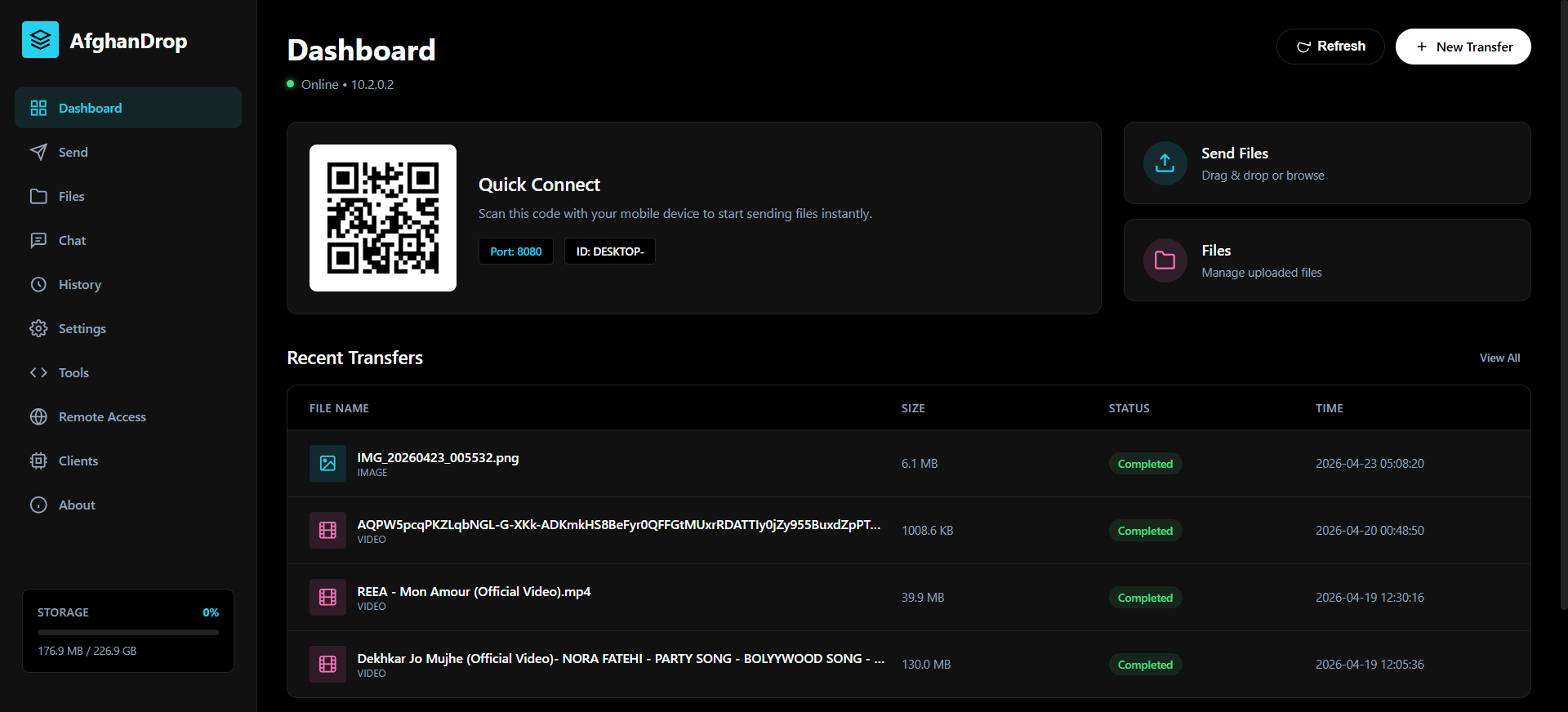
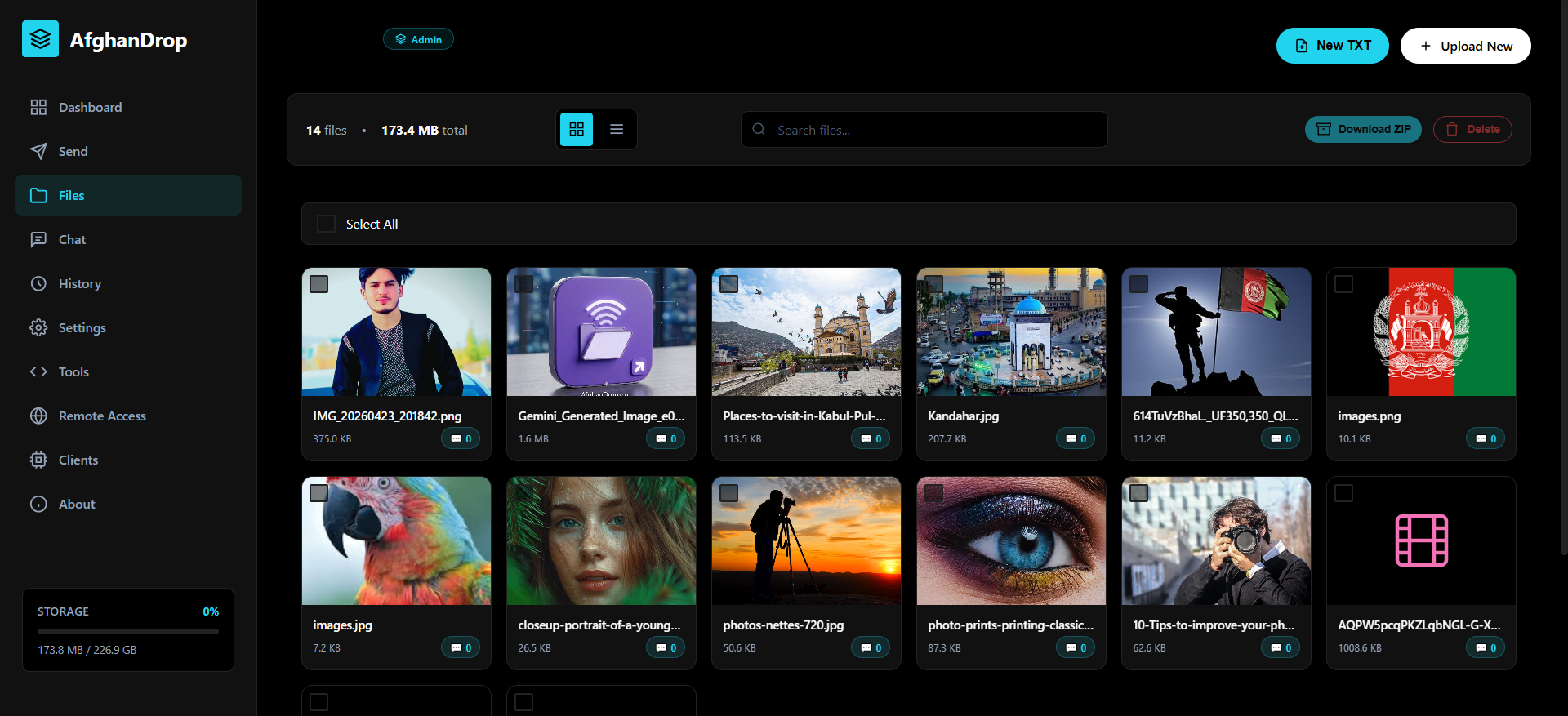
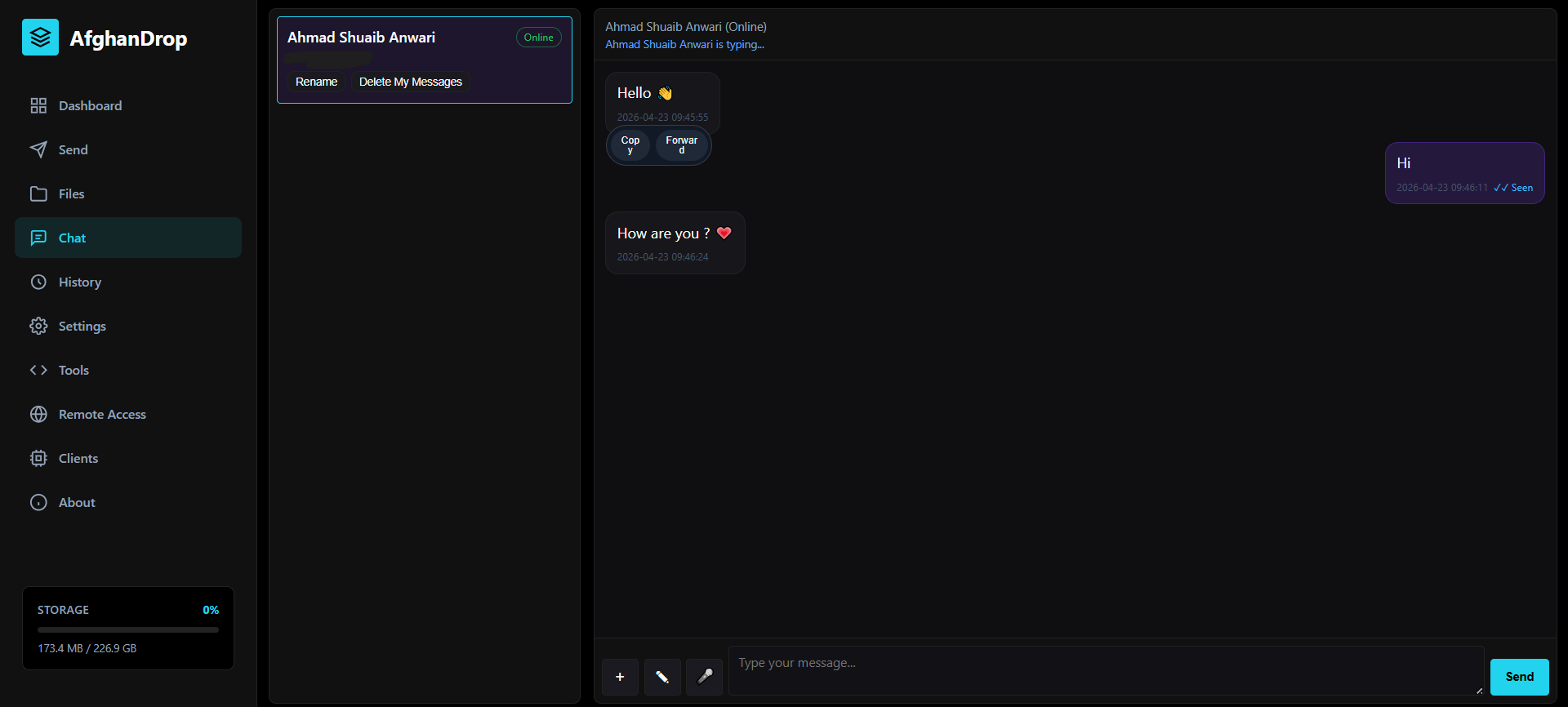
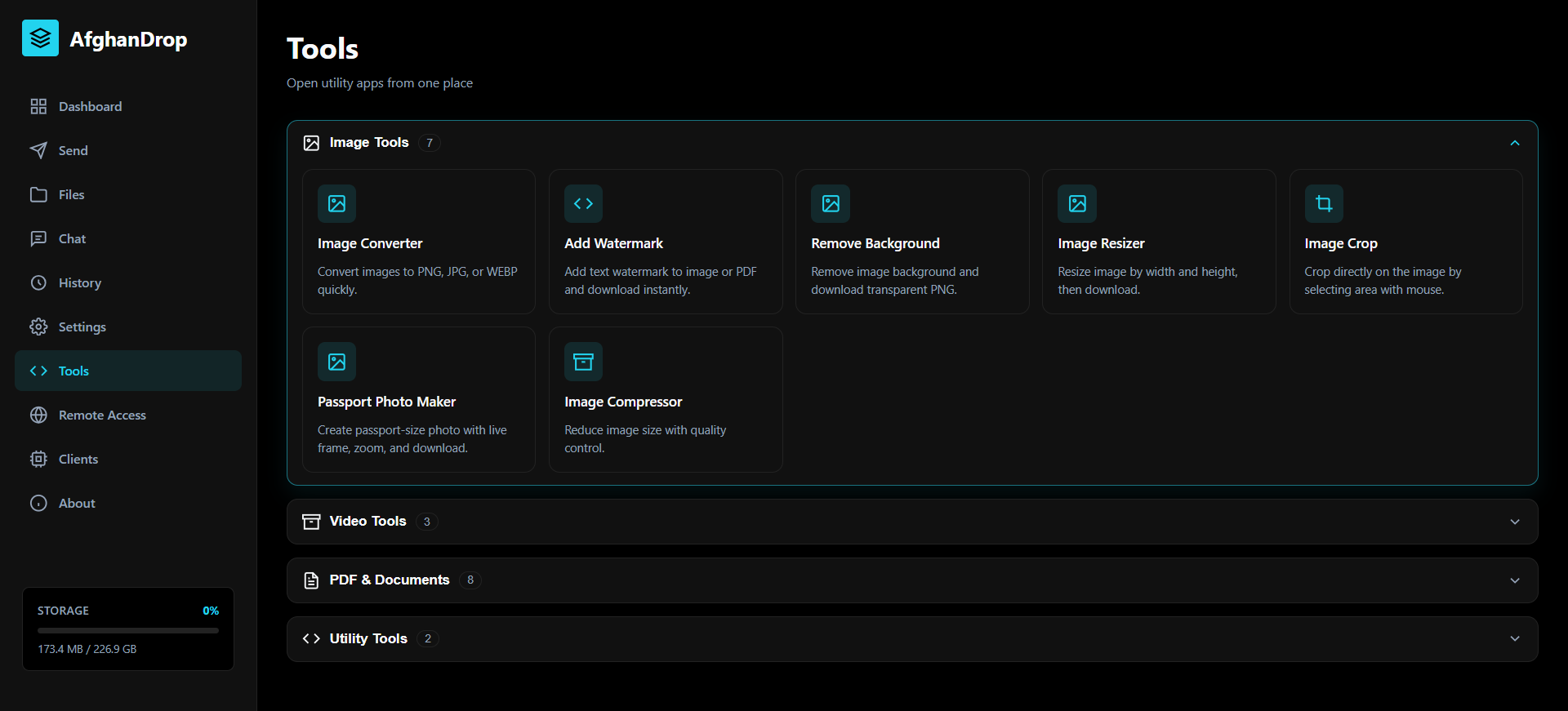
AfghanDrop is a LAN file transfer and sharing system for offices, schools, clinics, and teams that need to move documents and media quickly on the local network—with clear access rules and a licensed, controlled setup.
Share and receive files between computers and phones on the same Wi‑Fi or office network—built for speed on LAN.
Central place to upload, organize, and browse shared files so teams stop using random USB drives or unsafe links.
Ideal for companies, IT rooms, education, and any group that regularly exchanges large files internally.
Connect devices through the built‑in web experience—scan, open, and work with shared content without complicated setup.
.jpg)
.jpg)
Everything below is part of the desktop app experience: a local web server for your network, a rich browser UI for phones and PCs, and admin tools to keep sharing under control.
Runs a dedicated HTTP server on your PC so everyone on the same Wi‑Fi or Ethernet can open the AfghanDrop interface in a browser—no cloud required for transfers.
Generate scannable QR codes so phones and tablets join the session instantly—ideal for guests and field staff.
Drag-and-drop uploads, structured file listing, and downloads through the web UI—built for heavy documents and media on the LAN.
Pending requests, approved IPs, and removal tools let admins decide who can use the hub. Fine-grained rules support download-only devices and global upload locks when you need read-only mode.
Monitor activity, transfers, and server health from the desktop window and the web dashboard so you always know what the network is doing.
Built-in chat with media attachments, delivery flow, read states, and moderation-friendly controls—coordinate next to the files you share.
Attach notes and discussion threads to individual shared files so reviewers know what changed and why.
A tools workspace covers PDF merge/split/rotate, PDF ↔ images, Word/Excel/PowerPoint to PDF, images to PDF, watermarking, background removal, plus video compression, audio extraction, and selective blur—without leaving AfghanDrop.
Create, open, and save plain text notes through the web UI for quick documentation alongside shared folders.
When your workflow requires it, configure tunnel-style remote access so trusted partners can reach a public HTTPS link from anywhere—while normal use stays on the LAN. See the Remote Access section for details.
On top of the product features above, the licensed edition includes commercial rights and partner support.
Use the software without interruptions or unexpected license cutoffs.
Stay compatible with new builds, security fixes, and feature improvements.
Get quick help for installation, activation, and rollout questions.
AfghanDrop is designed for fast sharing on your local network (LAN). Remote Access adds an optional path so users who are not on that Wi‑Fi or Ethernet—working from home, on mobile data, or at a partner site—can still open the same browser-based AfghanDrop experience through the public internet.
It works by pairing AfghanDrop with a tunnel service (for example ngrok or Cloudflare Tunnel). The tunnel gives you an HTTPS URL that forwards traffic securely to the AfghanDrop server running on your Windows PC. You enable Remote Access in the app, choose your tunnel type, and paste the public URL the provider gives you—then you can share that link (or a QR code derived from it) with approved people.
AfghanDrop is designed for flexible access. You can run the core workflow on desktop and stay connected from mobile and tablet views, so your team can monitor and manage files from any device.
Usually under 5 minutes. If delayed, our support team follows up quickly.
Yes. With support approval, one transfer per billing period is available.
You can pay online or complete your purchase directly through our sales team.
Yes, optionally. AfghanDrop is built for LAN speed first; Remote Access lets you expose the same web interface over the internet using a tunnel (for example ngrok or Cloudflare Tunnel) and a public HTTPS URL. Remote users open that link in a browser to share files and chat. Full admin controls are designed for use from the local network—see the Remote Access section for setup and security notes.
Send the form for quick purchase help or a tailored recommendation.
Email: shuaibanwari708@gmail.com
WhatsApp: +93 707898879
Telegram: @shuaibanwari
Anwari Tech is a modern technology team focused on building secure, practical, and high-performance software solutions for businesses and professionals.
Our mission is to deliver reliable products such as AfghanDrop, provide long-term technical support, and help clients develop and optimize their digital workflows with confidence.
Core Services:
Software & Web & Mobile Application Development
Database Design & Management
System Automation
Deployment & Setup
Technical Support & Maintenance
Focus:
Security, Speed, Stability, User Experience